Drop at the edge
Open the shelf your way: a thin strip at the screen edge, a shake while dragging, or a screen corner. Works on all four edges and every monitor.
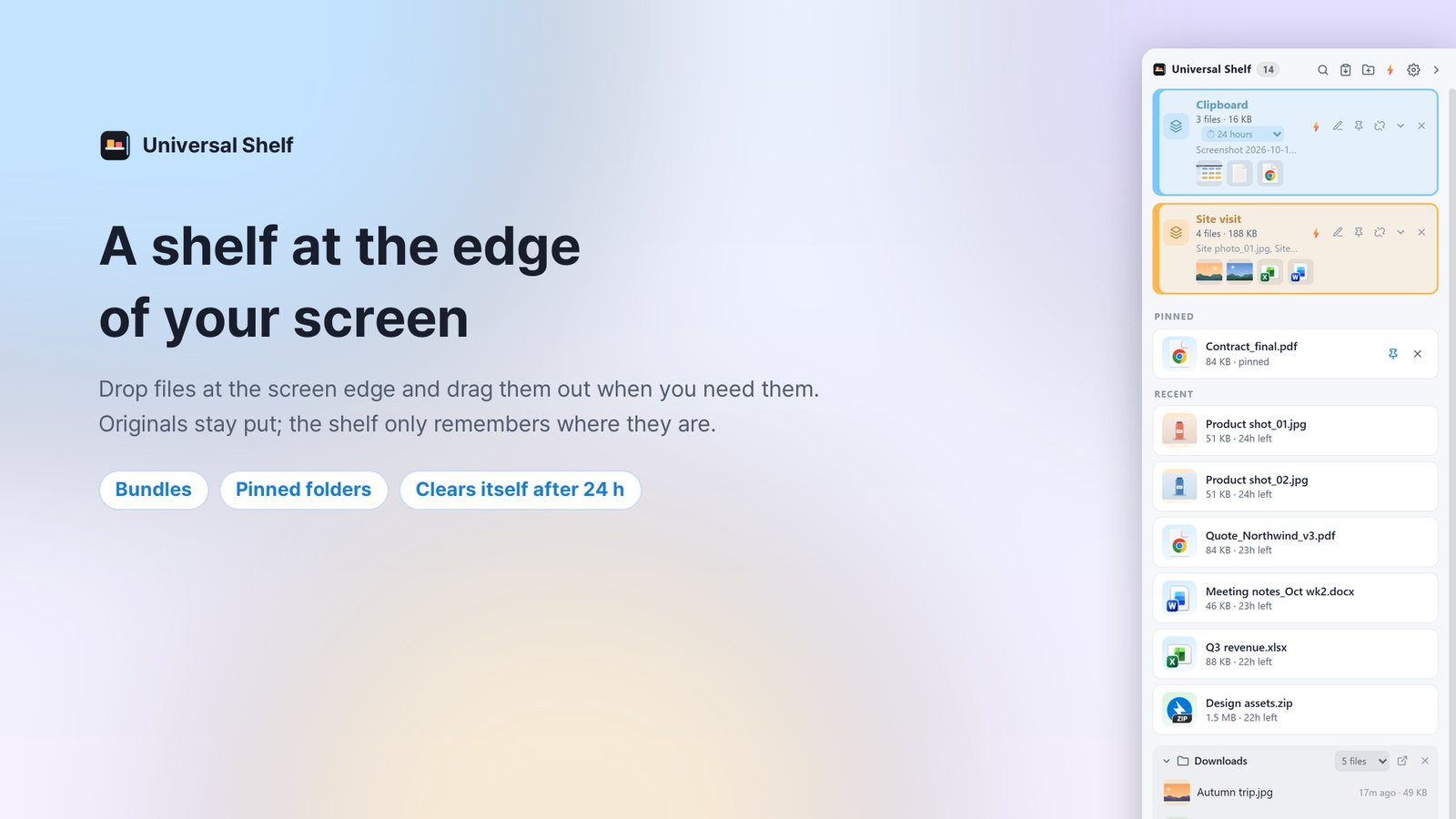
Universal Shelf is a temporary shelf that lives at the edge of your screen. Drag files from Explorer, a browser or your mail to the edge, leave them there, and drag them out again wherever you need them.
No more arranging two windows side by side just to move a file. Throw it to the edge and keep working.
Open the shelf your way: a thin strip at the screen edge, a shake while dragging, or a screen corner. Works on all four edges and every monitor.
The shelf remembers where files are instead of copying them. After the time you choose (24 h, 48 h or always) they leave the shelf, and only the shelf.
Drop items into Explorer, mail, chat apps or a web upload box. They behave like real files.
Group files into bundles and drag them out together, and pick the newest files of folders like Downloads right from the bottom of the shelf.
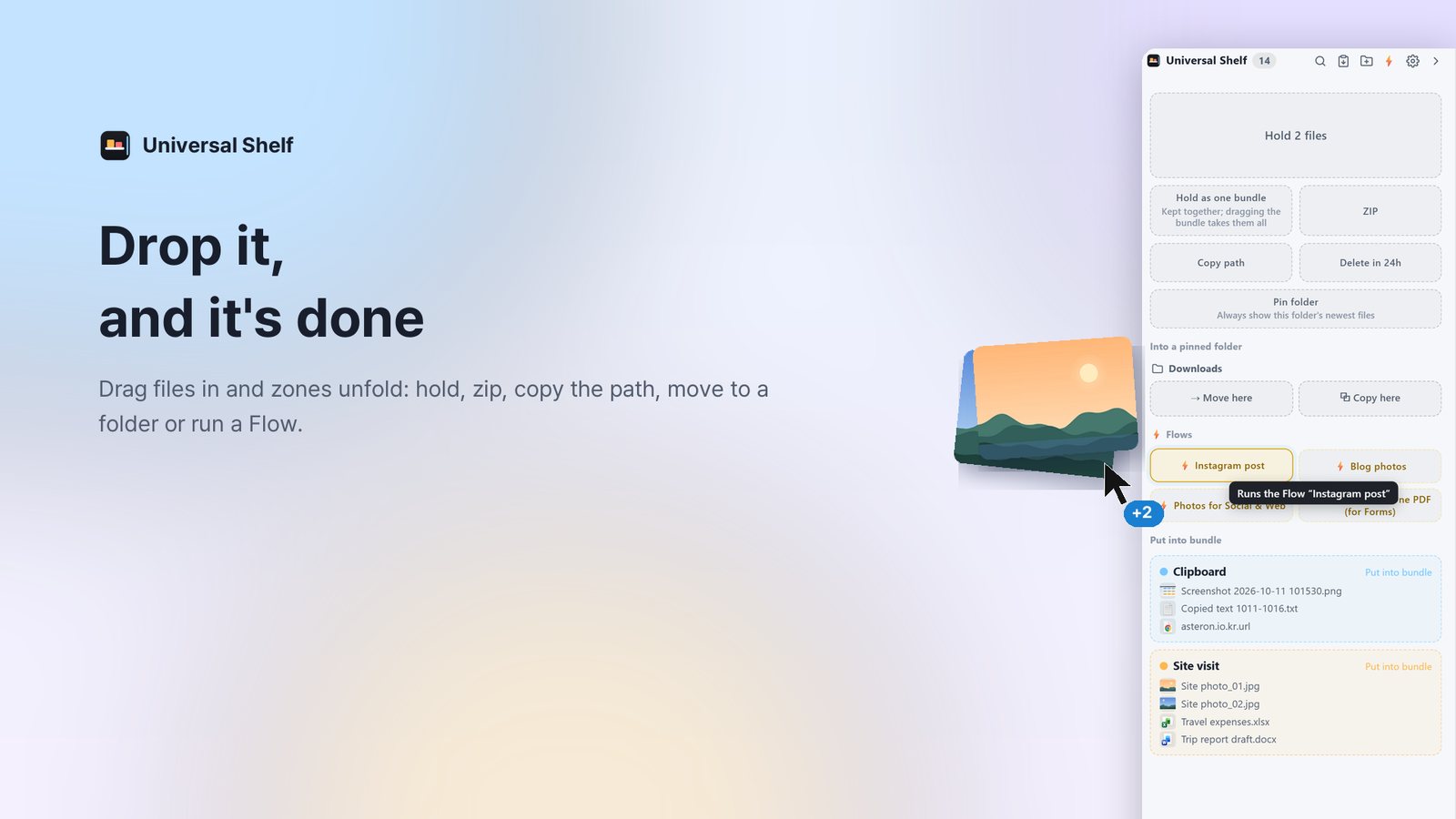
Drop files on zones like ZIP, Copy path or Delete later and they are handled on the spot. Originals are never modified.
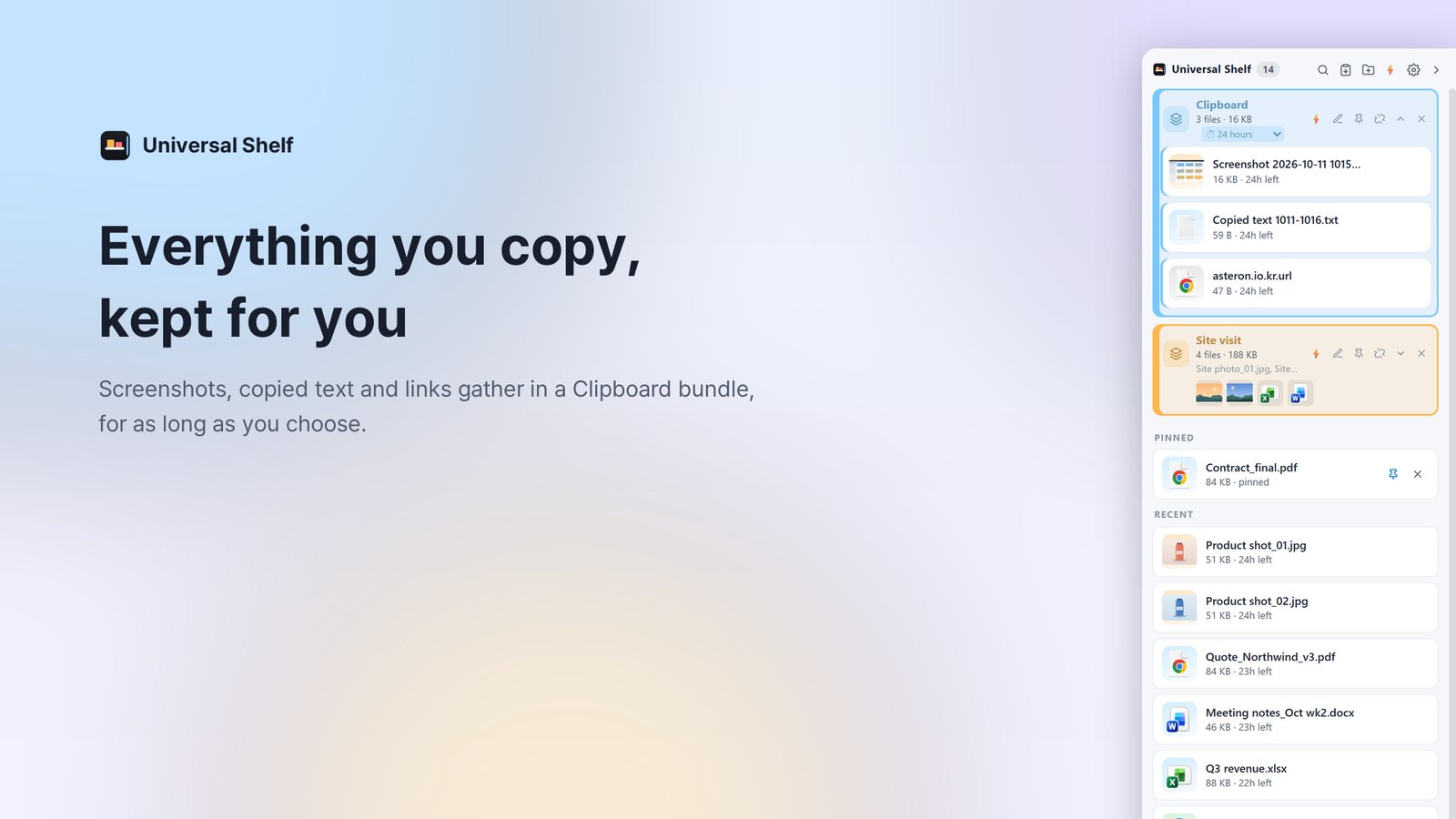
Screenshots and copied text, links and files are collected automatically. Switch on only what you want; everything collected is stored on this PC only.
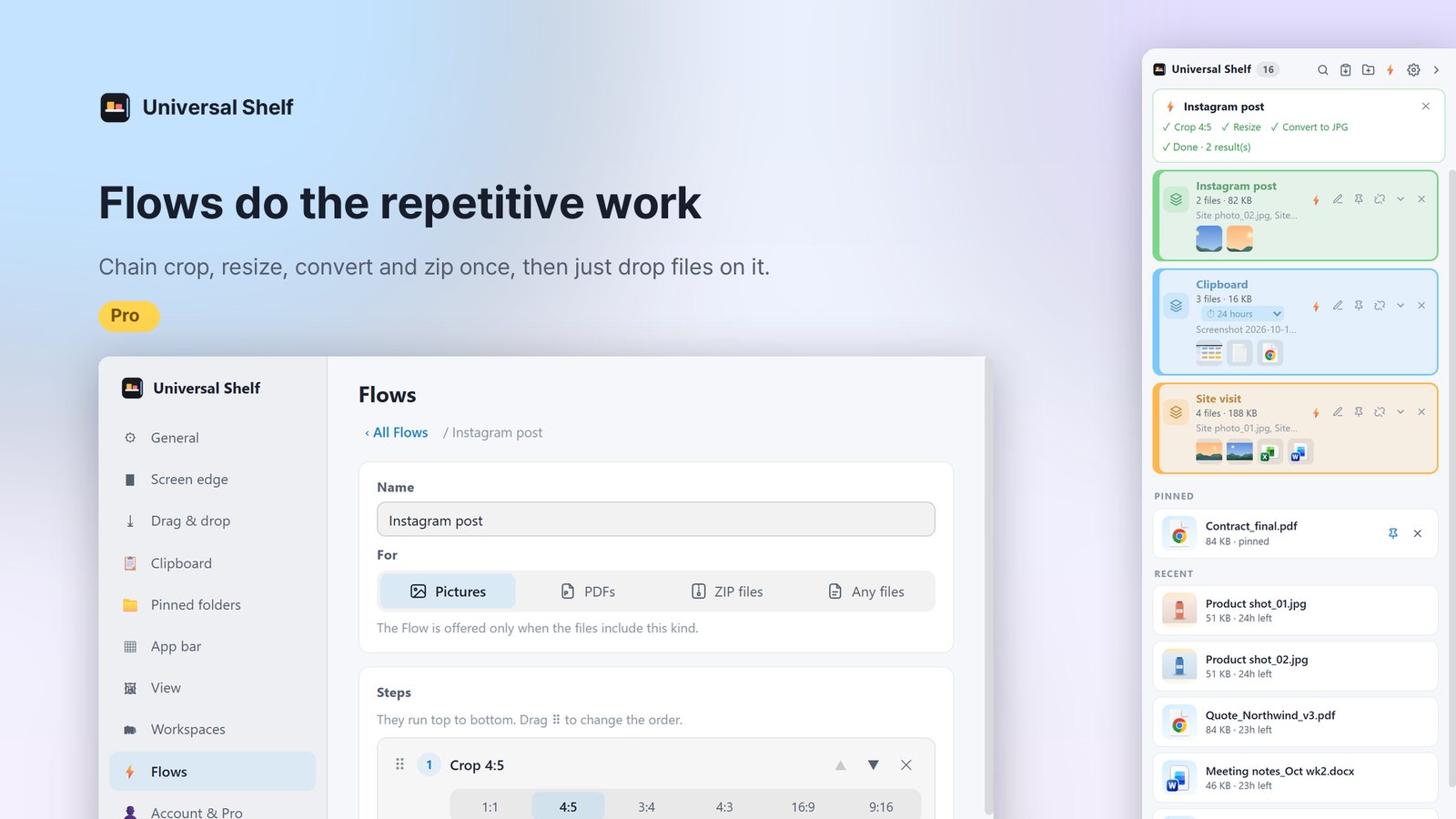
Chain steps such as resize, convert, crop, watermark, strip metadata and merge into a PDF, then drop files on the Flow to run them in order. Results are new files; originals stay as they were.
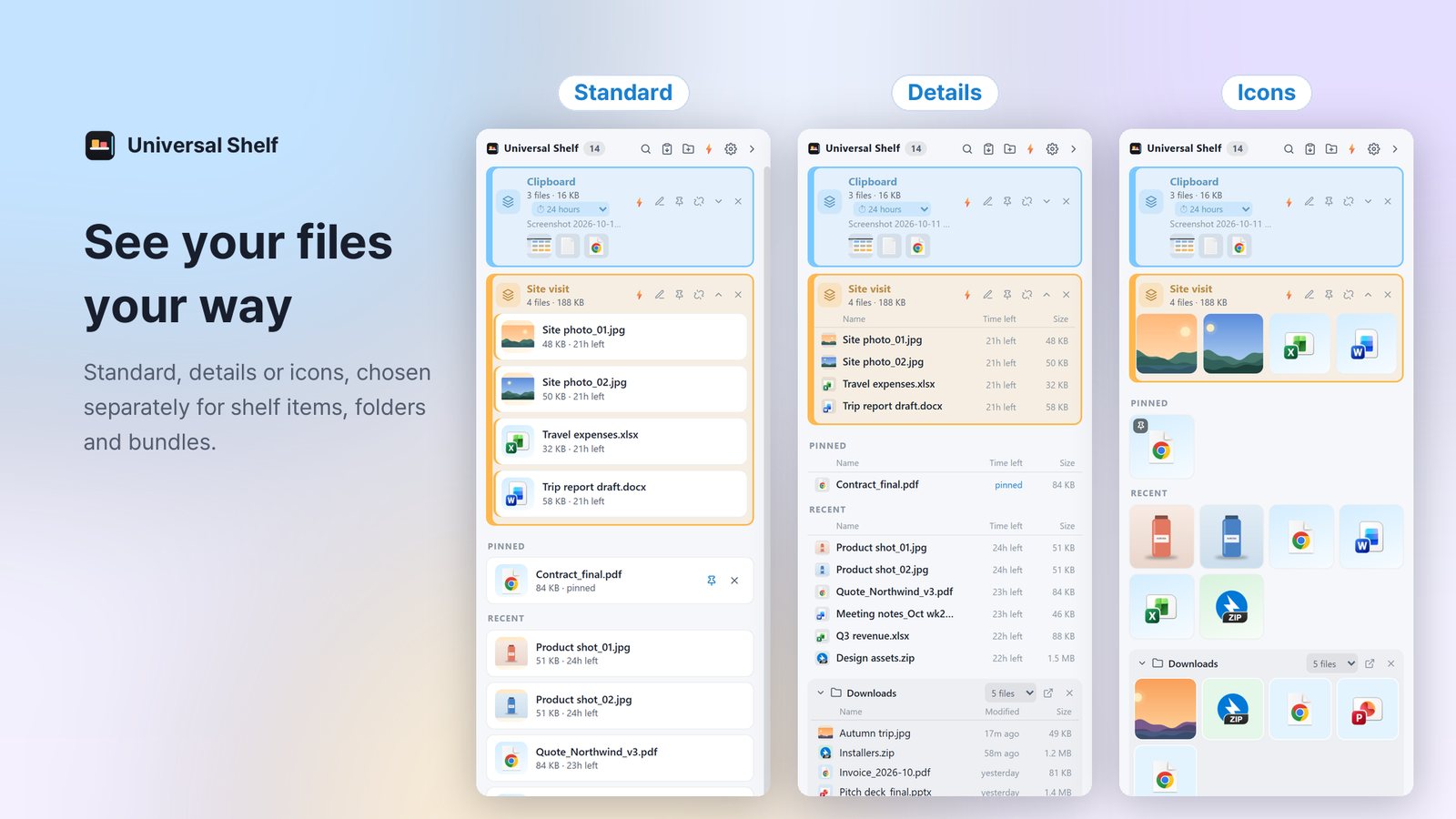
Standard, Details and Icons views; light, dark and translucent themes; size, position and opening speed are yours to set. Available in Korean and English.
Pro is a lifetime license, not a subscription: pay once and keep it. Try it free for 7 days with an ASTERON account.
Use it right away, no account needed.
Pay once · two PCs per account
Buy Pro in the app under Settings › Account · Pro. Payment and receipts are handled by Paddle.
Files on the shelf, collected clipboard items and screenshots, and every Flow run stay on this PC. Without signing in, the app talks to nothing outside except to check for updates. Privacy Policy
One installer and you're done. The app fetches new versions by itself.
Coming soon.This interaction is being connected in the next release.

ASTERON AssistantAI answers first, and hands you to our team when needed
AI answers can be wrong. Never enter passwords or payment details.