Inquiries seen too late
The business that calls back first wins the job. Inquiries spread across channels get answered late.
Field operations software for installation and on-site service businesses of 1 to 10 people. An inquiry from your blog or website flows into the customer, quote, schedule, job record and payment without being typed in again.
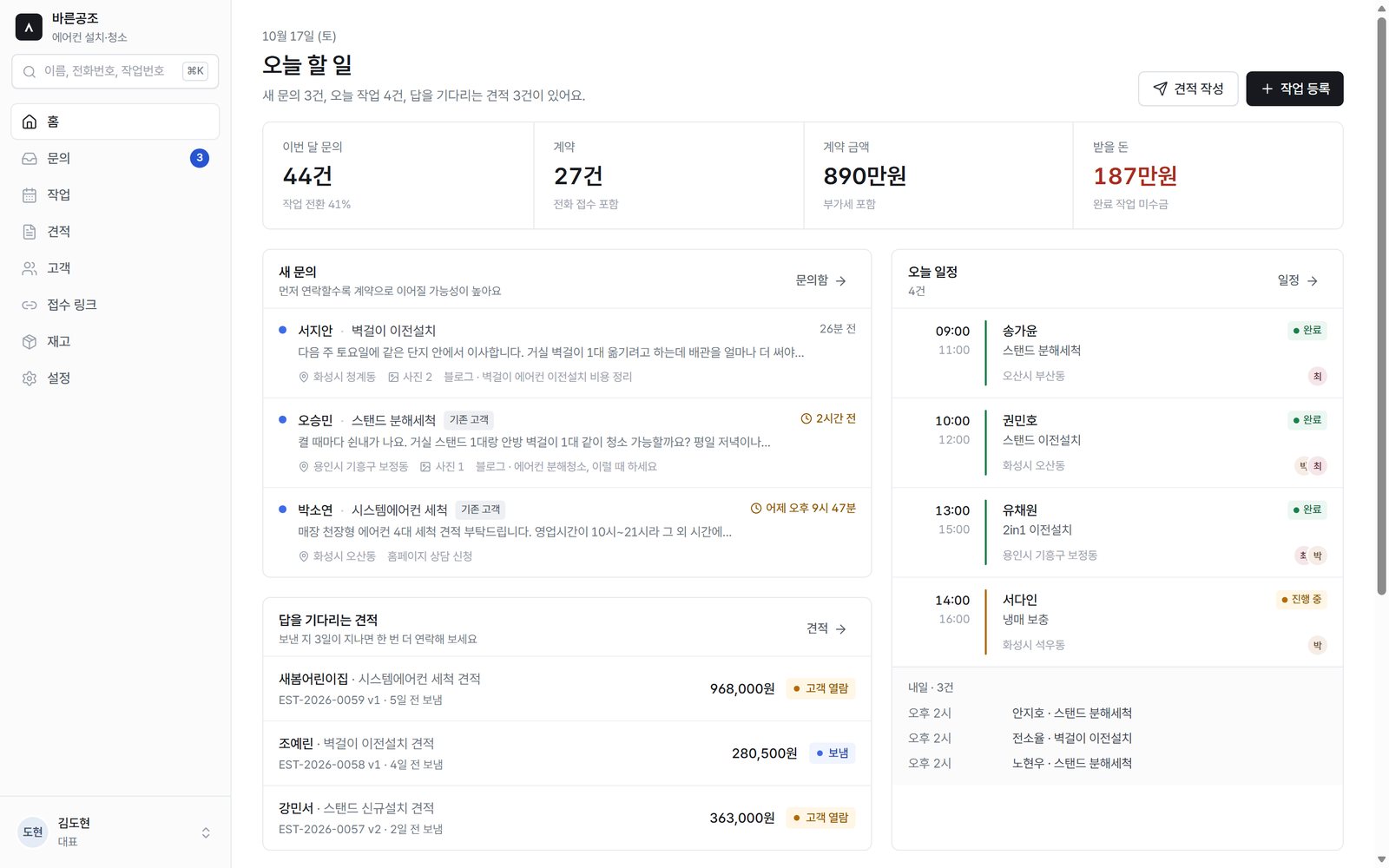
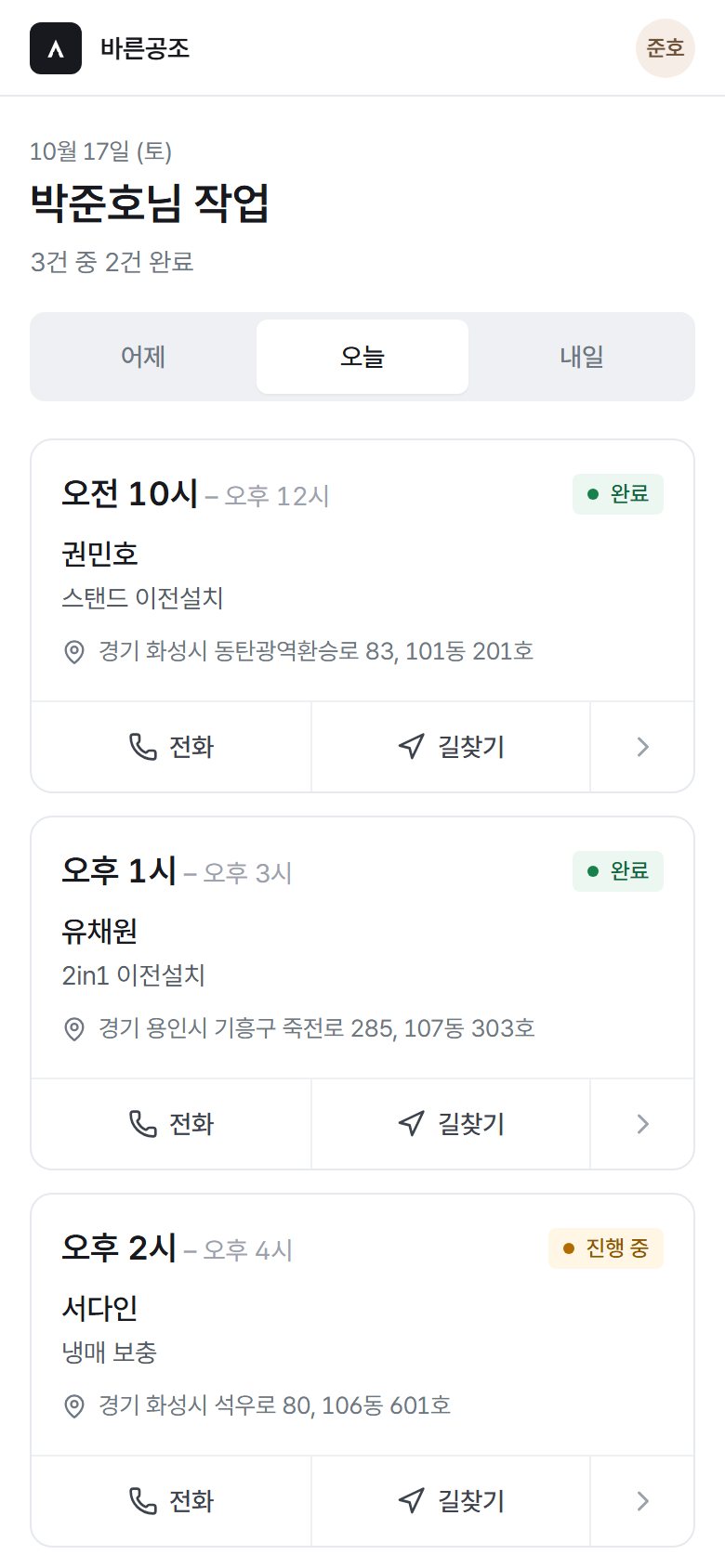
Inquiries live in a messenger, quotes in a spreadsheet, job photos in a phone gallery and unpaid amounts in someone's head. The busier the day, the more slips through.
The business that calls back first wins the job. Inquiries spread across channels get answered late.
The customer's name and address get retyped into the inquiry, quote, schedule and job record, and mistakes creep in.
There is no single view of jobs that are finished but not yet paid.
An inquiry becomes a customer, the customer gets a quote, and the quote becomes the job and its contract amount.
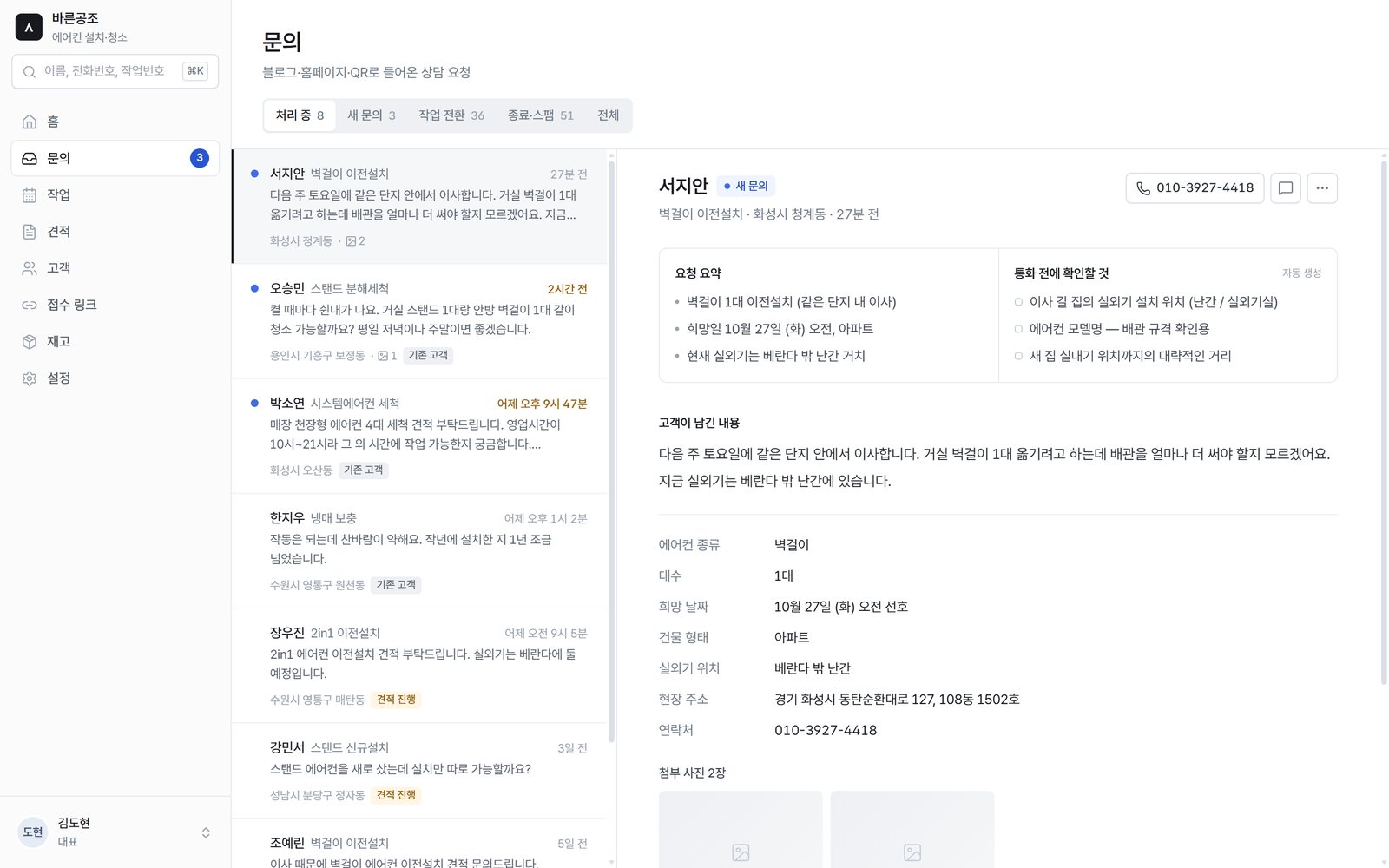
Create an intake link for each blog post, website or flyer QR code, and customers leave inquiries with photos. You can also see in numbers which link brought in inquiries and contracts.
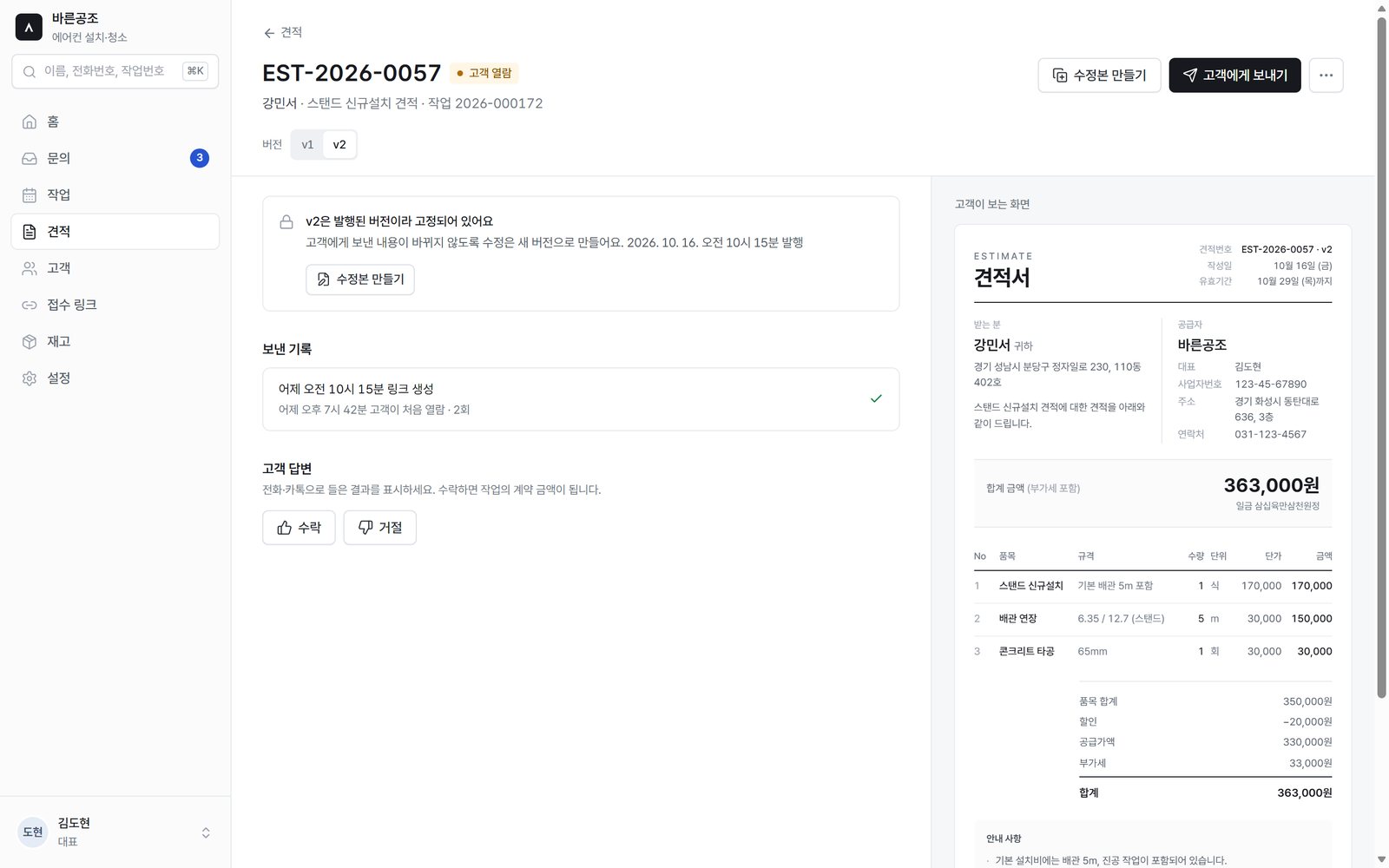
Build quotes quickly with prices suggested from earlier quotes and send them as a link. You see right away whether the customer opened or accepted it, and acceptance puts the contract amount on the job.
Each job keeps its schedule, assigned staff, before and after photos, notes and materials. When the same customer calls again, last time's record is right there.
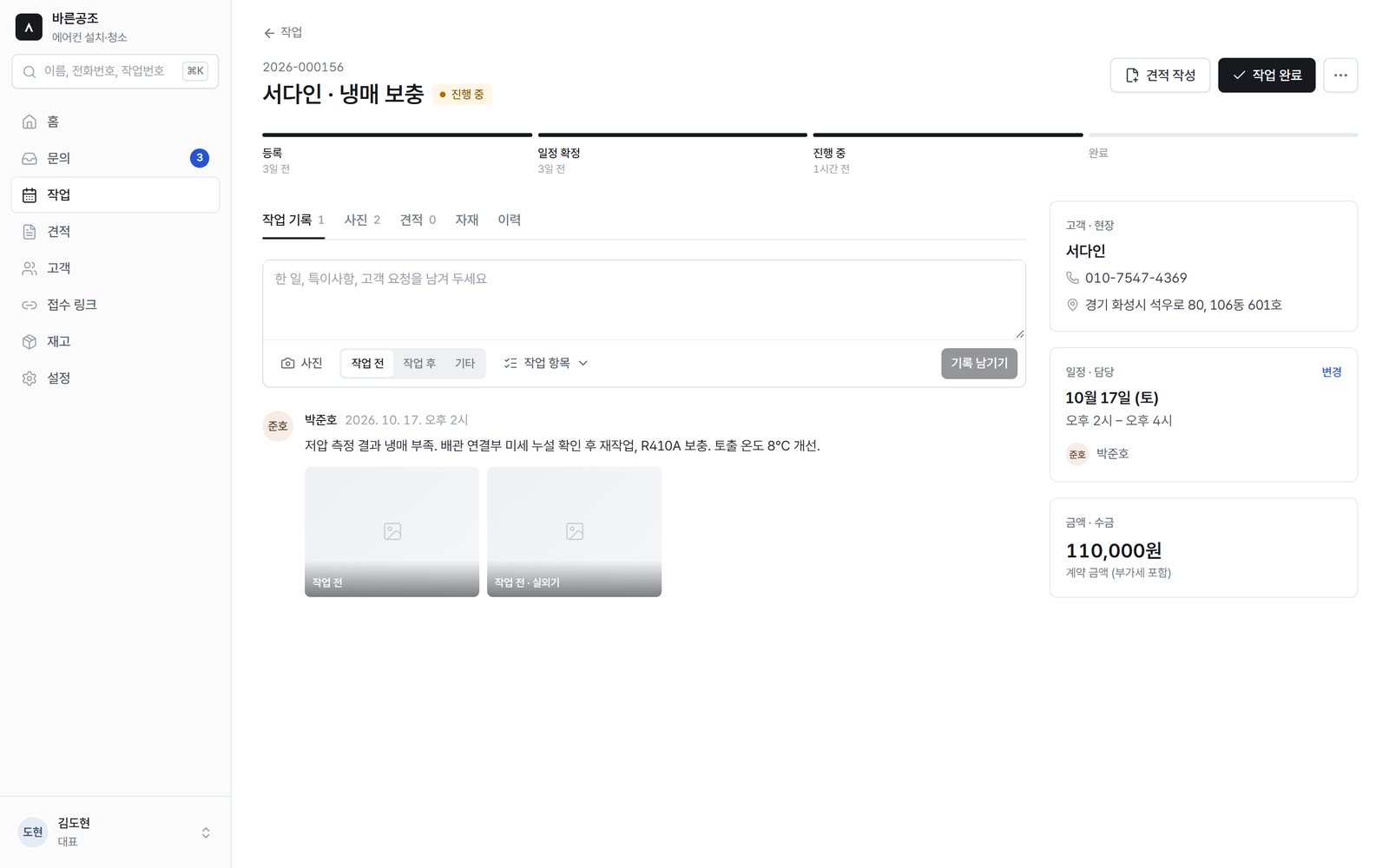
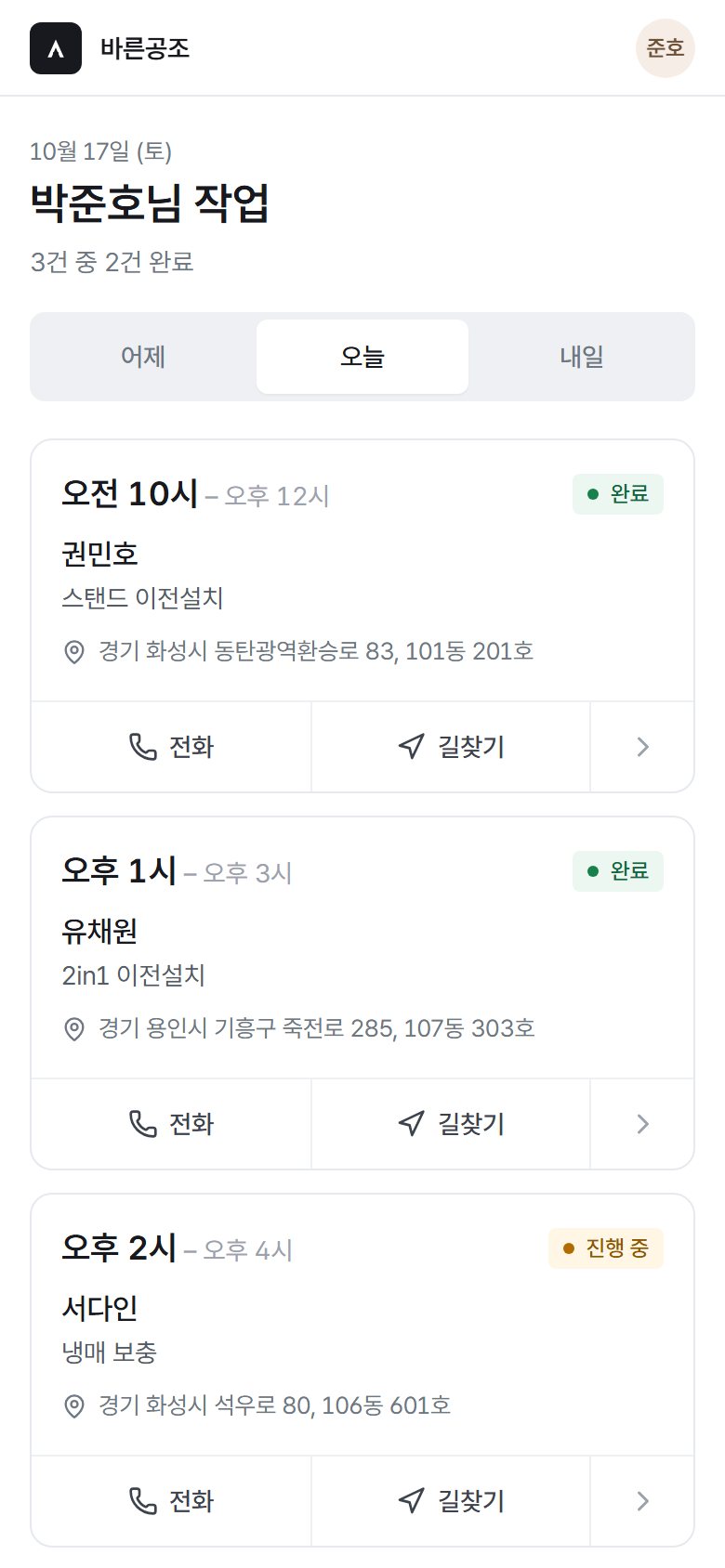
Staff see only the jobs assigned to them. They can call and get directions in one tap and attach photos taken on site to the job.
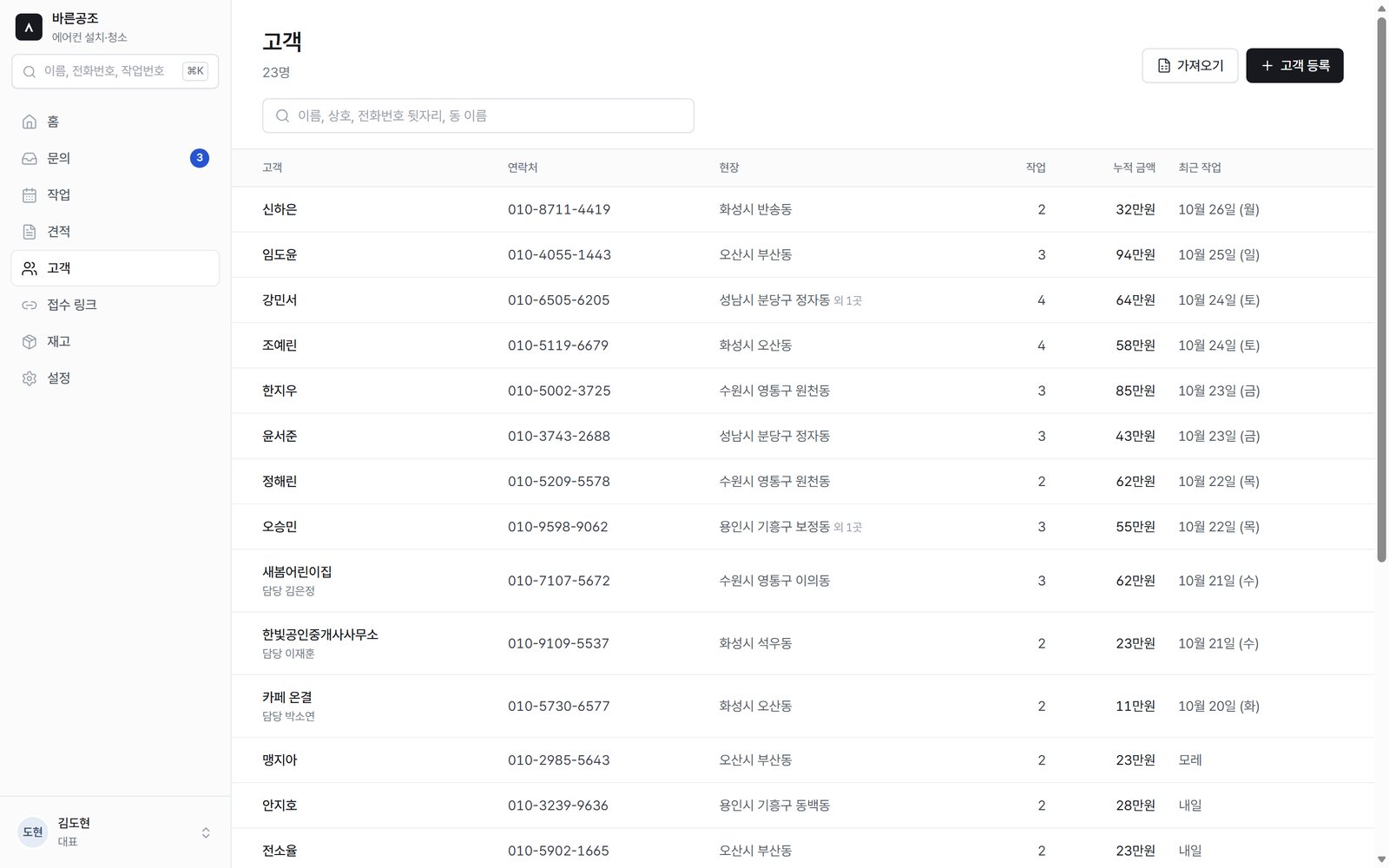
Each customer builds up a job count, lifetime total and last job date. Import your existing Excel or CSV customer list as is, and materials used are reflected in inventory.
It does not do accounting, tax, payroll or purchasing. It stays out of the way of the accounting software you already use and focuses on making sure no field work slips through.
The business and customer details on screen are fictional samples made for illustration.
If you run a 1–10 person business that takes inquiries and goes on site, such as air conditioner installation and cleaning, repairs or interior fixes, request a consultation. We'll hear how you work today and check together whether it fits.
Coming soon.This interaction is being connected in the next release.

ASTERON AssistantAI answers first, and hands you to our team when needed
AI answers can be wrong. Never enter passwords or payment details.